

The Current Rules for Tencent Cloud Free Certificates
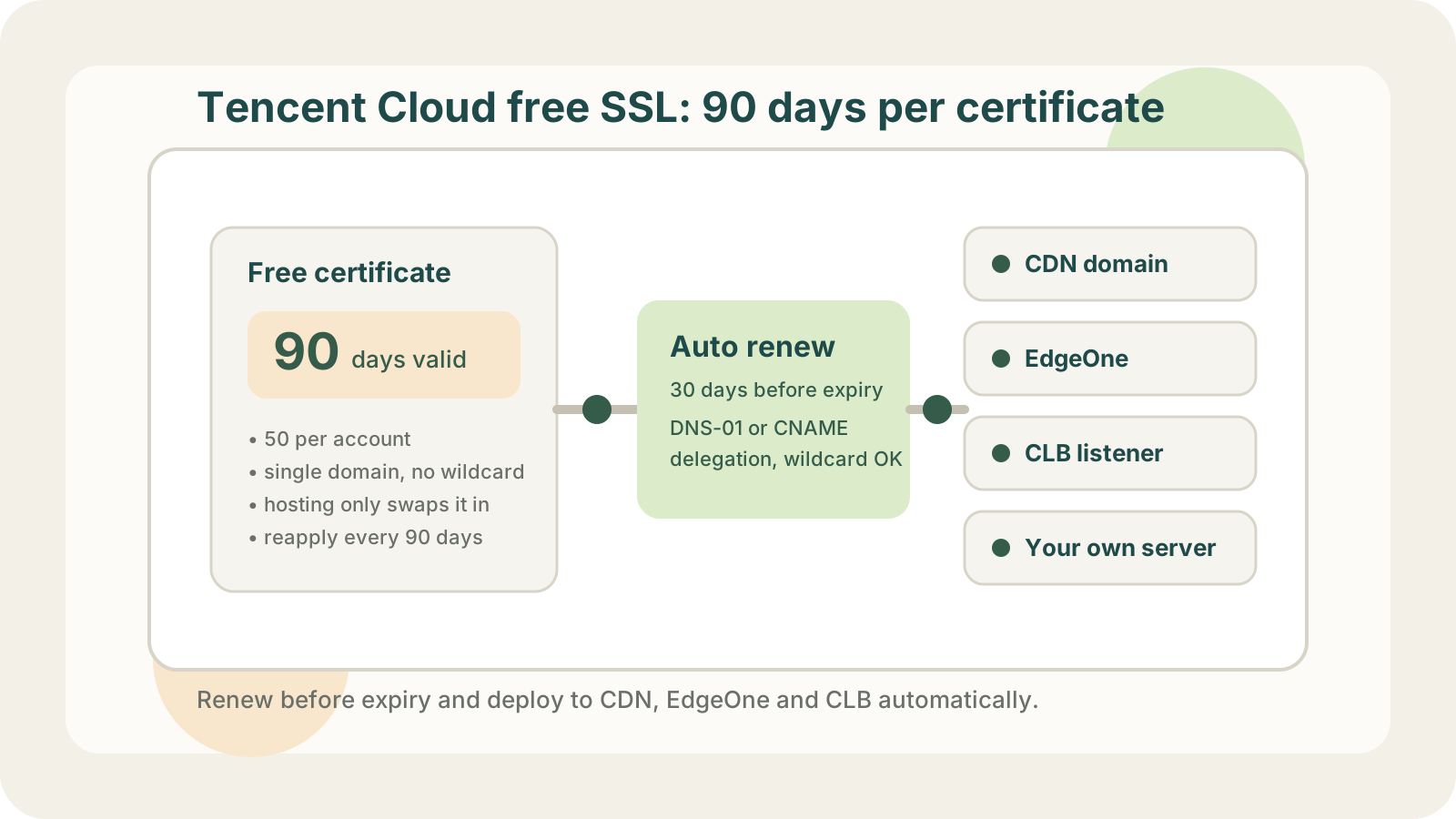
Since April 25, 2024, free certificates from Tencent Cloud's SSL Certificate Service have been valid for 3 months instead of 12, with a quota of 50 per account. They are single-domain DV certificates issued by TrustAsia, with no wildcard support. These rules come from the China site (cloud.tencent.com); the international site may differ.
The quota is generous. The number of replacements is what adds up. With a 90-day certificate replaced two or three weeks early, each domain needs a new certificate four or five times a year. For a domain on CDN, that means applying, waiting for validation, and swapping the certificate in the CDN console every time.
CDN and EdgeOne work differently, so they are covered separately below.
EdgeOne Only: Use Its Built-In Free Certificate
If your domain is already on EdgeOne, the simplest option is to choose "Apply for free certificate" in the domain's HTTPS settings. According to the official documentation, the certificate is issued by TrustAsia or Let's Encrypt, lasts 90 days, renews automatically 15 days before expiry, and deploys itself. There is nothing to maintain.
Its limits:
- The certificate cannot be downloaded and only works on EdgeOne. If your origin or load balancer needs a certificate for the same domain, you have to get one separately.
- Wildcard certificates require DNS delegation validation. After a site switches from NS access to CNAME access, its existing wildcard certificate cannot renew automatically.
- With CNAME access and automatic validation, the domain must point its CNAME to EdgeOne within an hour, and split-horizon (per-line) DNS is not allowed.
- No SLA. Certificates issued by Let's Encrypt do not support OCSP stapling.
If the certificate only ever lives on EdgeOne, none of this gets in your way. Use it and skip the rest of this article.
Tencent Cloud CDN: Certificate Hosting Only Handles Replacement
CDN has no one-click free certificate like EdgeOne. The usual flow is to get a certificate from the SSL Certificate Service and then deploy it to the CDN domain.
Tencent Cloud's certificate hosting covers half the work. Once enabled, when a new certificate is issued, it gets deployed at a time you choose to the cloud resources the old one was attached to, such as CDN and load balancers. Free certificates can be hosted too. The fully automatic setup in the docs is "auto-renewal plus hosting", and auto-renewal applies to paid certificates; the docs do not say that a free certificate will apply for its successor on its own. With free certificates, you still apply for a new one and complete validation every 90 days. Hosting only does the final swap.
Hosting has one more requirement: the old and new certificates must cover the same domains. Pick the wrong one and production is affected directly.
Writing Your Own Script
If you would rather not depend on the console, you can issue certificates yourself and deploy them through Tencent Cloud's API. Issuance is a solved problem: the dns_tencent plugin in acme.sh completes DNS validation through the DNSPod API and can get a wildcard certificate from Let's Encrypt.
Deployment is on you. The deploy directory in acme.sh has hooks for Alibaba Cloud CDN (ali_cdn.sh), Qiniu, and Baidu Cloud CDN, but none for Tencent Cloud. Calling the API yourself, you upload the certificate to the SSL Certificate Service to get a certificate ID, then bind it to CDN or EdgeOne:
# 1. Upload the certificate. With Repeatable=false, an identical certificate
#    is not uploaded twice; the existing ID is returned instead.
ssl.UploadCertificate
  CertificatePublicKey  = contents of fullchain.pem
  CertificatePrivateKey = contents of privkey.pem
  Repeatable            = false

# 2a. Tencent Cloud CDN: update only the certificate ID path
cdn.ModifyDomainConfig
  Domain = cdn.example.com
  Route  = Https.CertInfo.CertId
  Value  = {"update":"<certificate ID from step 1>"}

# 2b. EdgeOne: swap the certificate on the acceleration domain
teo.ModifyHostsCertificate
  ZoneId         = <zone ID>
  Hosts          = ["www.example.com"]
  Mode           = sslcert
  ServerCertInfo = [{"CertId":"<certificate ID>"}]
The CDN step is easy to get wrong. If you call UpdateDomainConfig with an Https object that contains only the certificate and private key, you run into this rule from the API documentation: for complex configuration items, "you must pass all properties of the object; properties not passed will use default values." In other words, HSTS, OCSP stapling, and TLS version restrictions that were enabled on the domain get reset to defaults on every renewal. ModifyDomainConfig updates a single path and leaves everything else unchanged, which makes it the safer call for swapping certificates.
Updating only Https.CertInfo.CertId assumes HTTPS is already enabled on the domain. If it is not, changing the certificate ID alone has no effect, and setting Https.Switch to on by itself is rejected because there is no certificate yet. In that case, set Route to Https and Value to {"update":{"Switch":"on","CertInfo":{"CertId":"<certificate ID>"}}}. Your script can check Https.Switch with DescribeDomainsConfig first and pick the right call.
Once the script works, you still need scheduling, retries, and alerting. Use a CAM sub-user for credentials, with permissions limited to DNSPod, SSL certificate upload, and CDN / EdgeOne configuration.
Ways to Stop Replacing Certificates by Hand
| Option | Good for | Cost |
|---|---|---|
| EdgeOne free certificate | EdgeOne only | No download, wildcard limits |
| SSL Service + hosting | Certificates on Tencent only | Free certs still applied by hand |
| acme.sh + your own script | Teams happy to own code | Deploy, retry, alerts all on you |
| Self-hosted Certimate | Fully open source setups | You deploy, upgrade, back up |
| Hosted automation service | Nothing to maintain | Cloud credentials held by them |
Certimate is an MIT-licensed open-source project. Once self-hosted, it issues certificates and deploys them to Tencent Cloud CDN, EdgeOne, CLB, COS, and more, along with Alibaba Cloud and other providers. Certificates, private keys, and cloud credentials stay on your own server; the trade-off is that you maintain that server and Certimate itself.
With only one or two CDN domains, replacing certificates by hand looks manageable. But four or five times a year, someone has to remember every time, and eventually nobody will. If you can automate it for free, it is worth setting up even for a few domains.
Auto-Renewing and Deploying to Tencent Cloud with LapseZero
LapseZero is a hosted certificate automation service. It issues certificates from Let's Encrypt, renews them before expiry, and deploys them to cloud products on Alibaba Cloud, Tencent Cloud, and AWS, or to your own servers. On Tencent Cloud it currently supports CDN, EdgeOne, and HTTPS listeners on CLB load balancers.
- Add the domain. If DNS is on DNSPod, provide keys for a CAM sub-user with DNS permissions only, and the platform writes the validation records. If you would rather not hand over DNS access, use DNS delegation, which only needs CNAME records added once, when you add the domain. The differences are covered in HTTP-01 vs DNS-01 vs DNS delegation.
- Issue the certificate. Wildcards are supported, and Tencent Cloud's 50-certificate quota is not touched.
- Add deploy targets. The platform lists the CDN domains and EdgeOne acceleration domains in your account; select the ones that match the certificate. The same certificate can go to CDN, CLB, and your own servers at once.
- Renew automatically. By default it renews 30 days before expiry and deploys to every target after issuance. Each target's result is recorded separately, and failures are sent to you by email, Slack, Telegram, or other channels.
Two things to know. A successful deployment means Tencent Cloud's API accepted the new certificate; the platform does not visit the domain afterwards to confirm it is live, and CDN edge nodes take time to pick it up, so check it a little later with the SSL certificate expiry checker. Your cloud credentials are stored by the platform, so use a CAM sub-user with minimal permissions. The free plan includes 3 domains and 5 deploy targets.
Certificate lifetimes keep shrinking: from March 15, 2027, every public certificate maxes out at 100 days, and 47 days from 2029, paid certificates included. See 47-day SSL certificates.