
The new certificate is already in Certificate Management Service, yet browsers still report an expired certificate. On Alibaba Cloud load balancers (CLB, formerly SLB, and ALB), this is common: browsers receive whatever certificate is bound to the HTTPS listener. When one certificate serves several listeners, or a listener has extra domain bindings, missing one during a manual replacement leaves it on the old certificate. Certificate lifetimes are also getting shorter (100 days maximum from March 15, 2027), so manual replacements will only become more frequent.
This guide shows where to replace certificates on CLB and ALB, then how to automate free certificate issuance, renewal, and deployment to those listeners without maintaining deployment scripts.
Why a Renewed Certificate Can Leave a Listener Using the Old One
After you issue or upload a new certificate, the listener may still use the old certificate. The HTTPS listener handles the TLS connection with the browser, so replacing a certificate on a backend server does not update the certificate visitors receive from the load balancer.
New certificate → Upload to certificate service → Update listener binding
                                                           ↓
                                           Browser receives new certificate
Suppose one certificate serves a CLB instance in Shanghai and an ALB instance in Singapore. Updating the Shanghai listener leaves the Singapore listener unchanged. Even with a single listener, check the default certificate and the certificates used for individual domains.
Certificate Replacement on CLB and ALB
CLB: Default Certificate and Extended Domains
Open the instance's listener list, find the HTTPS listener, and use Manage Certificates to select a new default certificate. Extended domains have their own bindings, which also need updating.
When several listeners or extended domains share the old certificate, Certificate Management → Replace Certificate can update its associated resources together. Check that scope before replacing it, and schedule the change during a quiet period. See the CLB certificate management guide for the console steps.
ALB: Default and Additional Certificates
Prepare the new certificate in Certificate Management Service, then open the ALB instance's listener list and choose Manage Certificates → Server Certificates. Replace the default certificate or add an additional certificate, depending on the binding. The ALB certificate guide covers both operations.
For example, a listener might use its default certificate for www.example.com and an additional certificate for api.example.net. Updating the API certificate should preserve the website's certificate. Verify the new binding before removing the old one, rather than replacing the listener's entire certificate list.
Listeners managed by Kubernetes ALB Ingress are an exception: update their certificates through the cluster's configuration instead.
Free Certificates Cannot Use Alibaba Cloud Hosting
Alibaba Cloud's certificate hosting service can renew certificates and deploy them to load balancers automatically, but only for paid certificates. Free personal test certificates last 3 months and cannot be renewed or hosted. When one expires, you apply for a new one and repeat the replacement steps above. See Alibaba Cloud free SSL certificates last 90 days for the full limits.
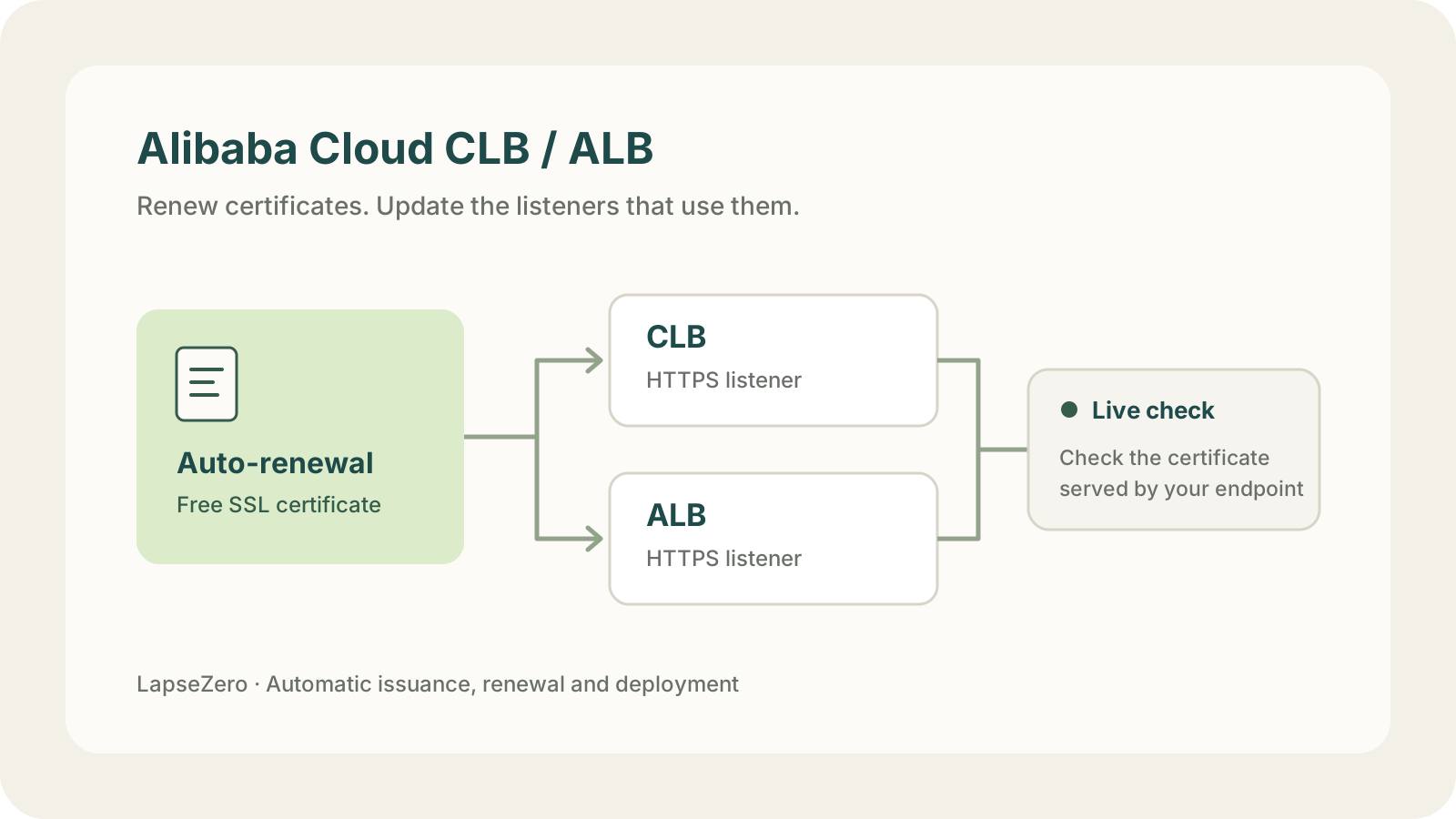
If you already have a paid certificate with hosting enabled, keep using it. If you want free certificates without replacing them by hand, a certificate automation platform such as LapseZero fits better: it issues and renews free Let's Encrypt certificates and deploys them to Alibaba Cloud load balancers, CDN, OSS, and your own servers.
Auto-Renewal and Deployment with LapseZero
Certificates are issued free by Let's Encrypt and do not use Alibaba Cloud's annual quota of 20 free certificates. Setup involves three tasks:
- Verify the domain: add your domain and configure the CNAME records shown for DNS delegation. Future renewals reuse those records.
- Authorize the cloud account: connect an Alibaba Cloud RAM user and follow the console guide to grant CLB and ALB deployment permissions. DNS write access is not required.
- Select the listeners: choose the HTTPS listeners to update and request the first certificate.
Future renewals and deployments run automatically, without repeated certificate uploads or deployment scripts to maintain. If the certificate also serves other regions, CDN, or Nginx, add those targets too. A deployment window lets you keep changes outside busy hours.
LapseZero updates bindings for the domains covered by the certificate while preserving certificates for other domains and the existing TLS settings. ALB configurations that use both RSA and ECC certificates for the same domain are not currently supported for automatic management.
Check the Certificate Served by the Listener
Set a live check address on the deployment target, such as https://api.example.com. After each deployment, LapseZero connects to that address and checks whether it serves the certificate just deployed. If deployment fails, or the check finds the old certificate still in use, it notifies you through configured channels such as email, Slack, or Telegram.
Use a hostname that points directly to the load balancer and is covered by the certificate. If your site's hostname points to a CDN, the check will return the CDN's certificate. You can separately check the public site with the free SSL certificate checker.
The free plan includes 3 domains and 5 deployment targets. Start with one existing listener, then add the other places that use the certificate.