

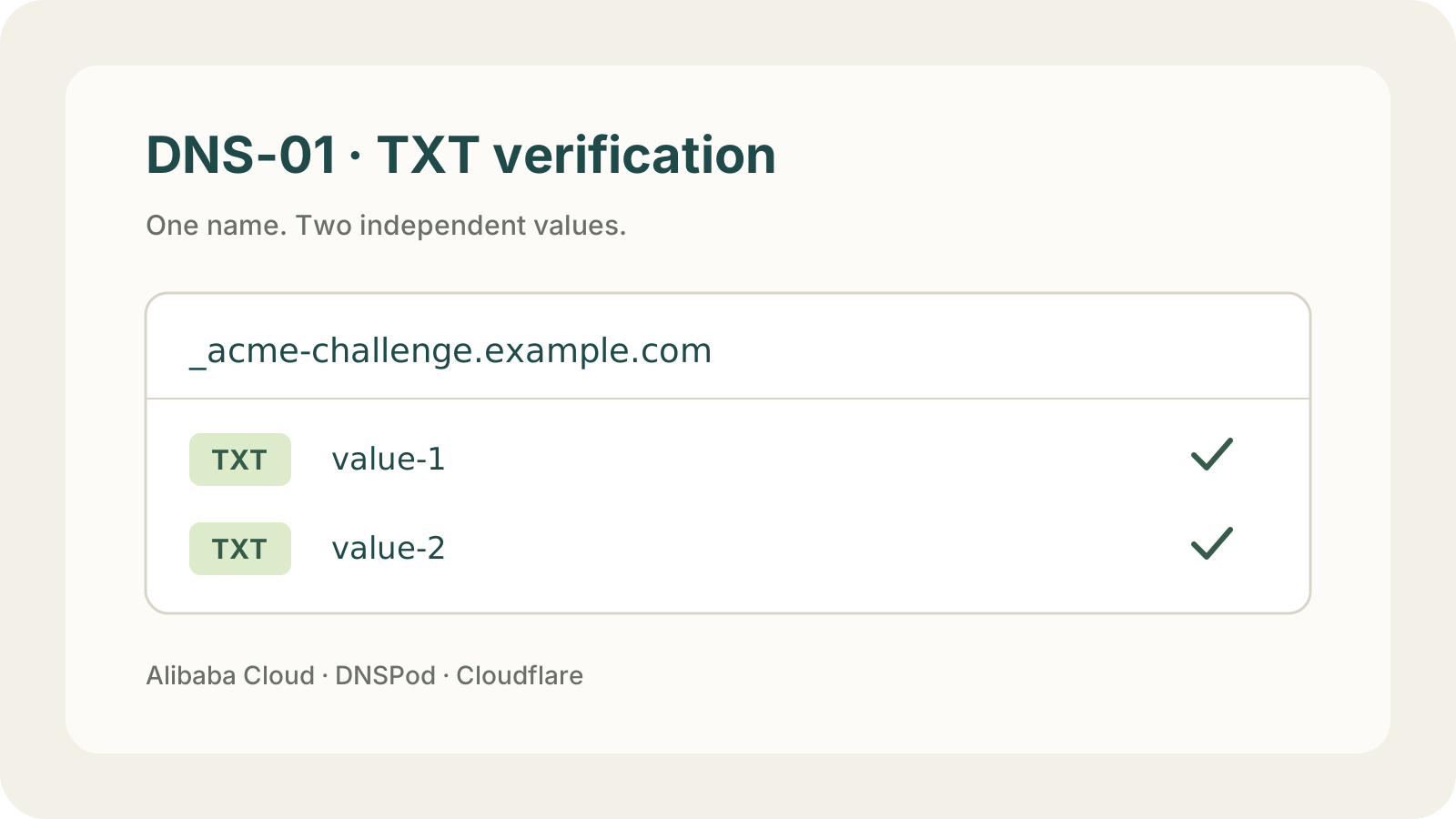
When you validate an SSL certificate over DNS, your certificate tool gives you a name and a value. Add them as a TXT record at your DNS provider and you're done. If two values share the same name, add both, and make sure the second one doesn't replace the first.
LapseZero issues and renews SSL certificates and deploys them to your servers and cloud services. Its free SSL certificate tool needs no sign-up: add the CNAME records and download your certificate, with no TXT records to manage. This guide covers adding the TXT records yourself in Cloudflare, Alibaba Cloud, and Tencent Cloud DNSPod when you validate manually with certbot, acme.sh, or similar tools.
What to enter as the name
ACME tools usually show the full name, such as _acme-challenge.www.example.com. Your DNS console adds .example.com for you, so enter only the first part:
| Domain being verified | Name |
|---|---|
example.com or *.example.com | _acme-challenge |
www.example.com | _acme-challenge.www |
demo.example.com or *.demo.example.com | _acme-challenge.demo |
Choose TXT as the type, paste the value exactly, and leave everything else at its default.
When you get two values
A wildcard certificate for *.example.com that also covers example.com validates both at _acme-challenge, so that one name needs two values. Keep both. Let's Encrypt's documentation confirms multiple TXT records can share a name.
A certificate for example.com plus www.example.com uses two names, _acme-challenge and _acme-challenge.www, with one record each.
Add the records wherever your DNS is actually hosted, which isn't always where you bought the domain. If you registered it with one company but point its nameservers to Cloudflare, add the records in Cloudflare.
The examples below add two values under one name. Screenshots use demo values; use the ones from your request page.
Cloudflare: add the same name twice
Open the Cloudflare DNS records page and pick your domain.
- Click Add record and choose TXT.
- Enter
_acme-challengeas the Name and the first value as the Content. Leave TTL on Auto and click Save. - Click Add record again, keep the same name, enter the second value, and save.
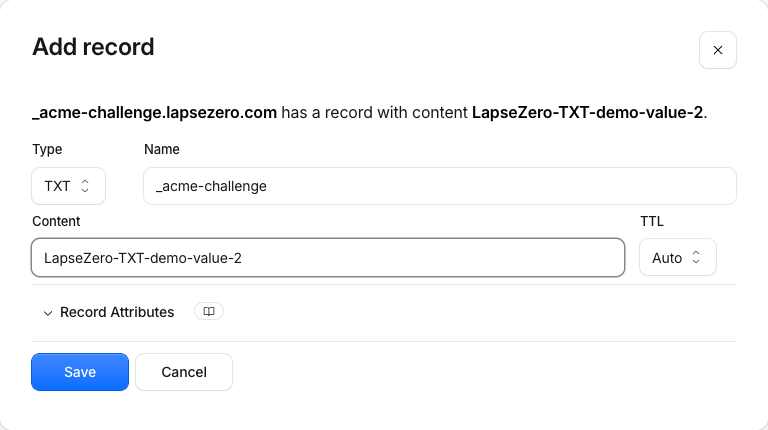
Create a new record for the second value. Editing the first record would overwrite it.
Alibaba Cloud: both values in one form
Open the Alibaba Cloud DNS console and select your domain under Public Authoritative DNS.
- Click Add Record and choose TXT.
- Enter
_acme-challengeas the Hostname. Leave Query Source at its default. - Under Record Values, enter the first value in the first row. Click Add Entry and enter the second value in the new row.
- Click OK and confirm.
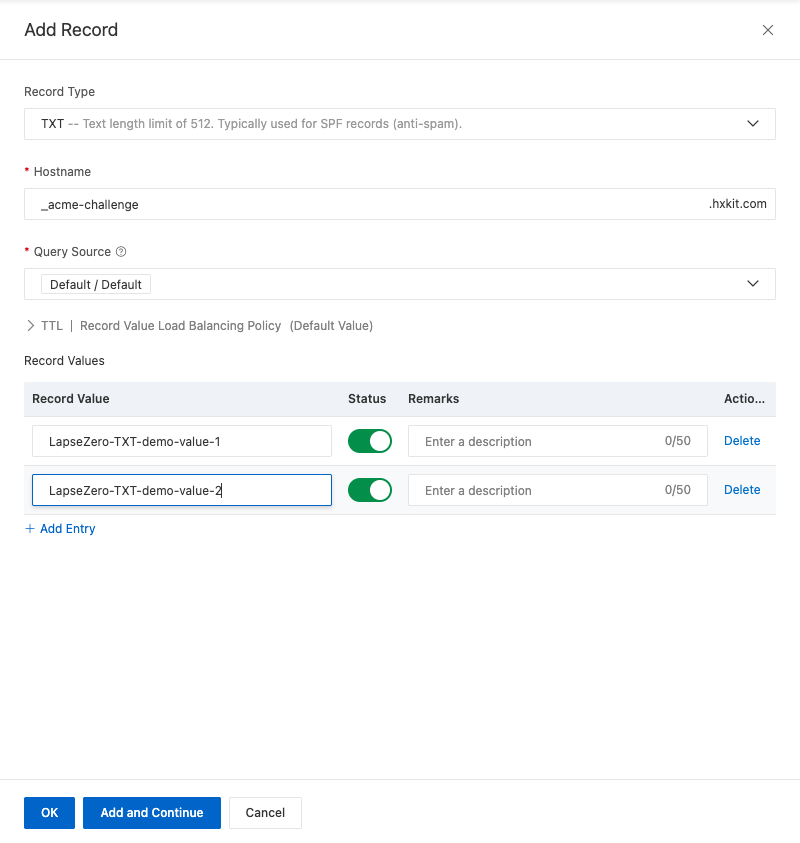
The list then shows two TXT records with the same host record. Put one value per row, never both in one field.
Tencent Cloud DNSPod: add two records
Open the Tencent Cloud DNSPod console, select your domain, and open Record Management.
- Click Add record, choose TXT, and enter
_acme-challengeas the Host Record. - Enter the first value in Text Content, keep the other defaults, and click OK.
- Click Add record again with the same Host Record, enter the second value, and save.
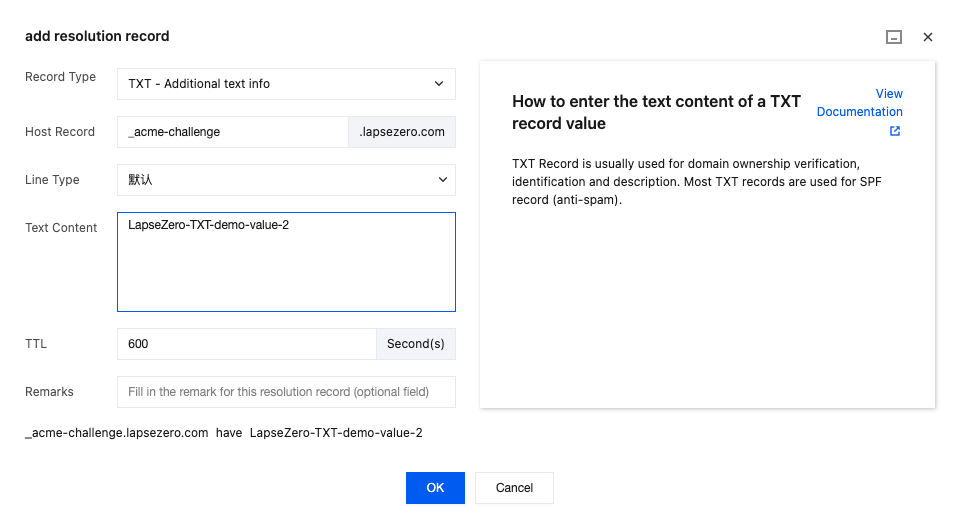
Don't put both values on separate lines in one text box. That saves a single record. If Add record opens an inline row instead of a dialog, click Switch to get the dialog.
Other DNS providers
Add a TXT record in your provider's DNS settings using the name and value from your request. With two values, add two records unless the console clearly supports several values in one record.
Check that the record is live
New records usually show up within a few minutes. Look up the full name, such as _acme-challenge.example.com, as a TXT record in the DNS record checker. If you added two values, both should appear.
If something is missing:
- Only one value shows up: the second one probably replaced the first.
- Nothing shows up: check that you didn't add
.example.comto the name twice, that the value is complete, and that you used the provider actually hosting your DNS.
Once the certificate is issued, you can delete these TXT records.
Renewals need new records
Let's Encrypt certificates last 90 days, and every renewal comes with new values, so a manual TXT record only covers one certificate. To skip the repeat every couple of months, connect your Cloudflare, AWS Route 53, or other DNS API credentials to LapseZero. It adds the validation records on each issuance and renewal and deploys the certificate to your servers and cloud services. Lifetimes are getting shorter too; see 47-day SSL certificates. For how DNS validation compares to the other methods, read HTTP-01, DNS-01, and DNS delegation.