

Certbot is the ACME client most people start with, and for good reason. It is free, maintained by the EFF, and it is what Let's Encrypt recommends to most people with shell access. Install it, run it once, and a timer renews your certificate from then on.
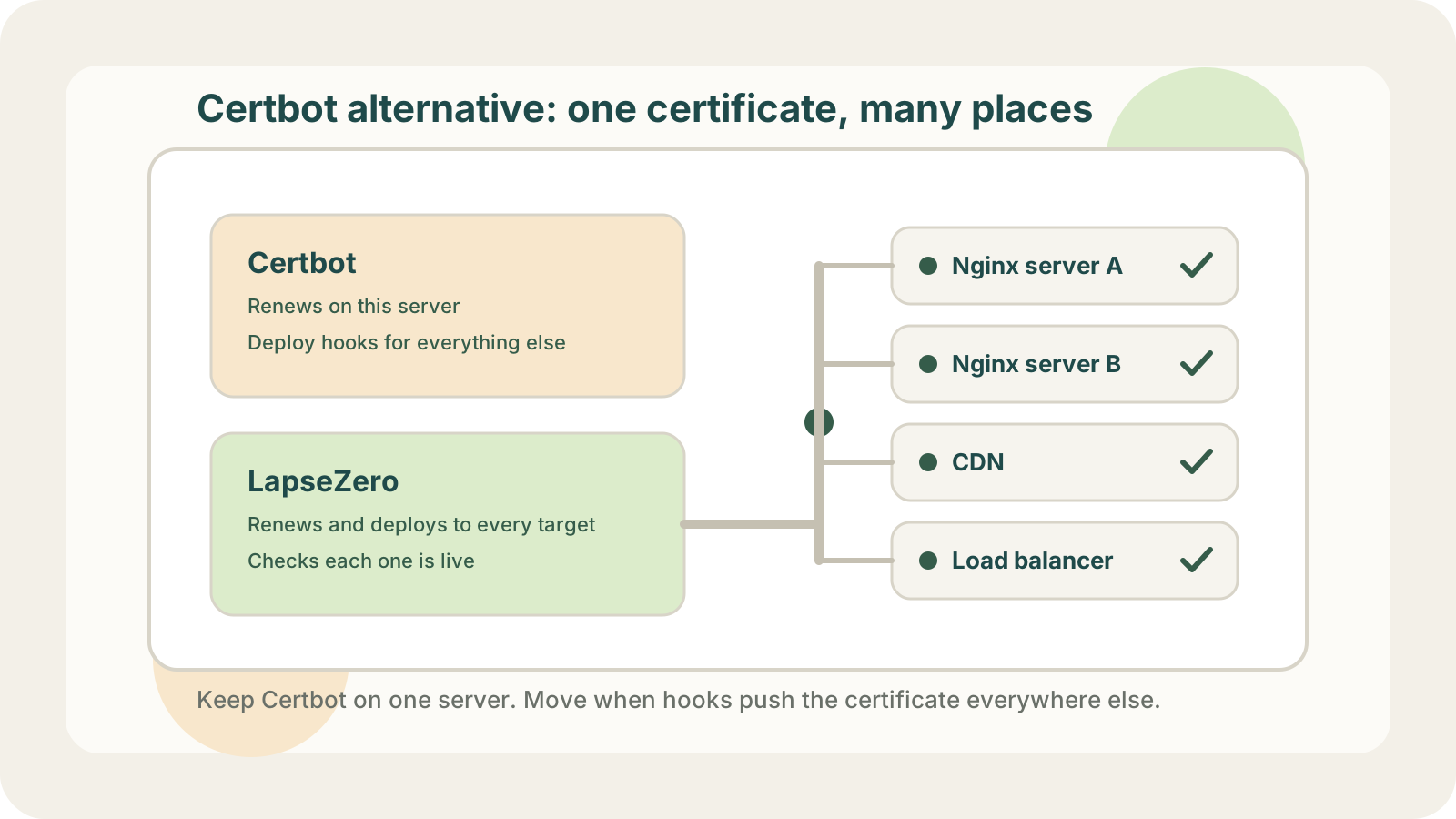
People who look for a Certbot alternative usually have more than one place to put the certificate: a second and third server, a CDN in front of the site, a load balancer that needs the certificate too, and a folder of deploy hooks that only one person understands.
This post compares Certbot, other self-hosted ACME clients and LapseZero on that case: which servers and cloud products each can deploy to, who maintains the deploy scripts, and how you find out a deployment failed. The last part covers moving from Certbot.
When Certbot is enough
Certbot is the right tool when:
- the certificate is used on one server;
- the Nginx or Apache plugin installs it and reloads the web server;
- nothing else (CDN, load balancer, another machine) needs a copy.
In that setup there is nothing to fix. Check that the renewal timer is active (systemctl list-timers on most distributions) and run certbot renew --dry-run once in a while. Moving to anything else adds a moving part without removing one.
Other self-hosted ACME clients
If you want to stay self-hosted but prefer a different style, these are the usual alternatives:
- acme.sh: a pure shell script, no Python, with a large set of DNS API integrations and deploy hooks.
- lego: a single Go binary, convenient in containers and CI.
- Caddy: a web server that obtains and renews certificates by itself, so there is no separate client at all.
- cert-manager: the standard choice inside Kubernetes.
Let's Encrypt keeps a longer list of ACME clients. For a broader comparison of scripts, self-hosted panels and hosted services, see how to choose an SSL certificate automation tool.
acme.sh also ships deploy hooks for remote servers over SSH and for some cloud services. If those cover your targets and you are fine maintaining the setup yourself, it is a reasonable choice. The other clients, like Certbot, leave deployment beyond their own machine or cluster to you.
Deploying with Certbot hooks
Certbot can deploy beyond the local web server. --deploy-hook runs a command after each successful renewal, and that command can copy files to other servers or call a cloud API. Plenty of teams do exactly this.
The cost shows up later:
- every new server or cloud product means another hook to write and test;
- a hook that fails quietly leaves a server serving the old certificate while Certbot reports a successful renewal;
- if a hook fails halfway, putting the old files back is up to the hook;
- seeing which targets already have the new certificate means building that reporting yourself.
If that list sounds familiar, a hosted service that deploys as well as renews is a better fit.
LapseZero
LapseZero is a hosted service that issues SSL certificates, renews them, and deploys them to servers and cloud products. It also monitors HTTPS endpoints, including ones it does not deploy to.
How it covers the gaps above:
- Validation without a DNS key. Certificates are issued over DNS-01, wildcards included. You either give LapseZero a DNS API key or add one CNAME record once and keep your DNS credentials to yourself.
- Automatic renewal. A certificate is renewed when less than a third of its validity is left, about 30 days before expiry for a 90-day certificate.
- Servers. Over SSH, or through an open-source agent that connects out over HTTPS, so you open no port and the platform stores no SSH key. 1Panel and Nginx Proxy Manager also work through the agent.
- Cloud products. AWS: CloudFront, ALB, NLB, API Gateway, ACM and Amplify. Google Cloud: Certificate Manager. Azure: Key Vault. Plus CDN, load balancer and storage products from Alibaba Cloud, Tencent Cloud, Huawei Cloud and others.
- Safe server updates. Files are replaced all or nothing. If writing a file or reloading fails, the previous certificate is put back and the notification says so.
- Status per target. Each target has its own record, and failures go out by email, Slack, Telegram or webhook. An optional check connects to the public HTTPS address and compares the certificate fingerprint. On agent targets it can also check on the server itself, which matters when a CDN sits in front: the CDN serving the new certificate says nothing about the origin behind it.
If one certificate has to reach several servers, a CDN or a load balancer, LapseZero is the better fit. It takes over issuance and renewal as well, so you cannot keep Certbot issuing and use LapseZero only to distribute.
Certbot and LapseZero side by side
| Certbot | LapseZero | |
|---|---|---|
| Runs on | Your server | Hosted |
| Cost | Free | Free plan; paid from $3/month |
| Wildcards | With a DNS plugin | Yes, DNS-01 |
| DNS credentials | On your server | API key or one CNAME |
| Other servers | Your deploy hooks | SSH or agent |
| Cloud products | Your deploy hooks | Built-in targets |
| Failed deployment | Depends on your hook | Alert; rollback on servers |
| Live check | Not included | Fingerprint check |
What LapseZero stores, and how to leave
Moving a production certificate to a hosted service means trusting it with keys and access to your servers.
Private keys. LapseZero generates the key when it issues the certificate. Keys and certificates, along with DNS, cloud and SSH credentials, are stored encrypted with AES-256-GCM, and saved credentials are never shown again in the console or API. You can download any issued certificate with its key from the console. The security page lists what each feature needs.
Cloud permissions. When you add a cloud account, the console gives you a policy to paste into the provider's IAM console, limited to the certificate and resource actions LapseZero calls. You do not have to hand over an admin key.
The agent. It runs as root as a systemd service, because it writes certificate files and runs your reload command. The reload command is the one you configure, such as systemctl reload nginx. lapsezero-agent uninstall removes it.
Failures. A deployment that fails because a server is unreachable is retried automatically for a few minutes. If the server stays offline longer than that, the deployment is marked failed, you get a notification, and you retry it from the console once the server is back.
Leaving. The certificate files stay at the same paths on your server, so Nginx keeps working whether LapseZero is there or not. To go back to Certbot, move the renewal config you set aside back to /etc/letsencrypt/renewal/ and run certbot renew --cert-name example.com --force-renewal.
Moving from Certbot without breaking anything
The agent knows what a Certbot setup looks like, so you do not have to rebuild your Nginx config.
- List your deploy hooks. Note which certificates have hooks that copy them to other servers or cloud products. Those destinations become deployment targets in LapseZero, and the hooks go away at the end.
- Install the agent on the server with the one-line command from the console.
- Scan the server. The agent runs
nginx -T, which only reads the config, and lists each server block with its certificate paths. Paths under/etc/letsencrypt/live/are marked as managed by Certbot. The scan does not read private key contents. - Take over the sites you want. LapseZero creates a deployment target that writes to the same paths and runs the same reload command. Nothing is deployed at this step.
- Issue the certificate if LapseZero does not have one for the domain yet. It is deployed to the new target, and to any cloud targets you added, through the normal flow.
- Check the result. Each target should show a successful deployment, and the live check should see the new fingerprint, both on the public address and on the server.
- Stop Certbot renewing that certificate, and only that one: move
/etc/letsencrypt/renewal/example.com.confsomewhere outside that directory. LapseZero reminds you but does not do this for you, and if both keep running they overwrite each other's files. Do not usecertbot delete, which removes the files Nginx points to. Then remove the hooks from step 1.
Doing step 7 after step 6 means there is never a moment when nothing renews the certificate.
One case needs a small change first. LapseZero issues one certificate per domain you add: a single name (a root domain can include www), or a wildcard such as *.example.com, which also covers example.com. A server block that serves example.com and example.org together, or a.example.com and b.c.example.com, cannot be covered by one of those certificates, so split it into separate server blocks before taking it over.
Pricing
The free plan covers 3 domains, 5 deployment targets and 5 monitors, with no time limit. One domain deployed to two servers, a CDN and a load balancer uses four of the five targets. Paid plans start at $3/month (Starter: 10 domains, 20 targets); Pro is $8/month for 30 domains and 80 targets, and Team is $20/month for 100 domains and 200 targets. Yearly billing costs ten months' worth.