

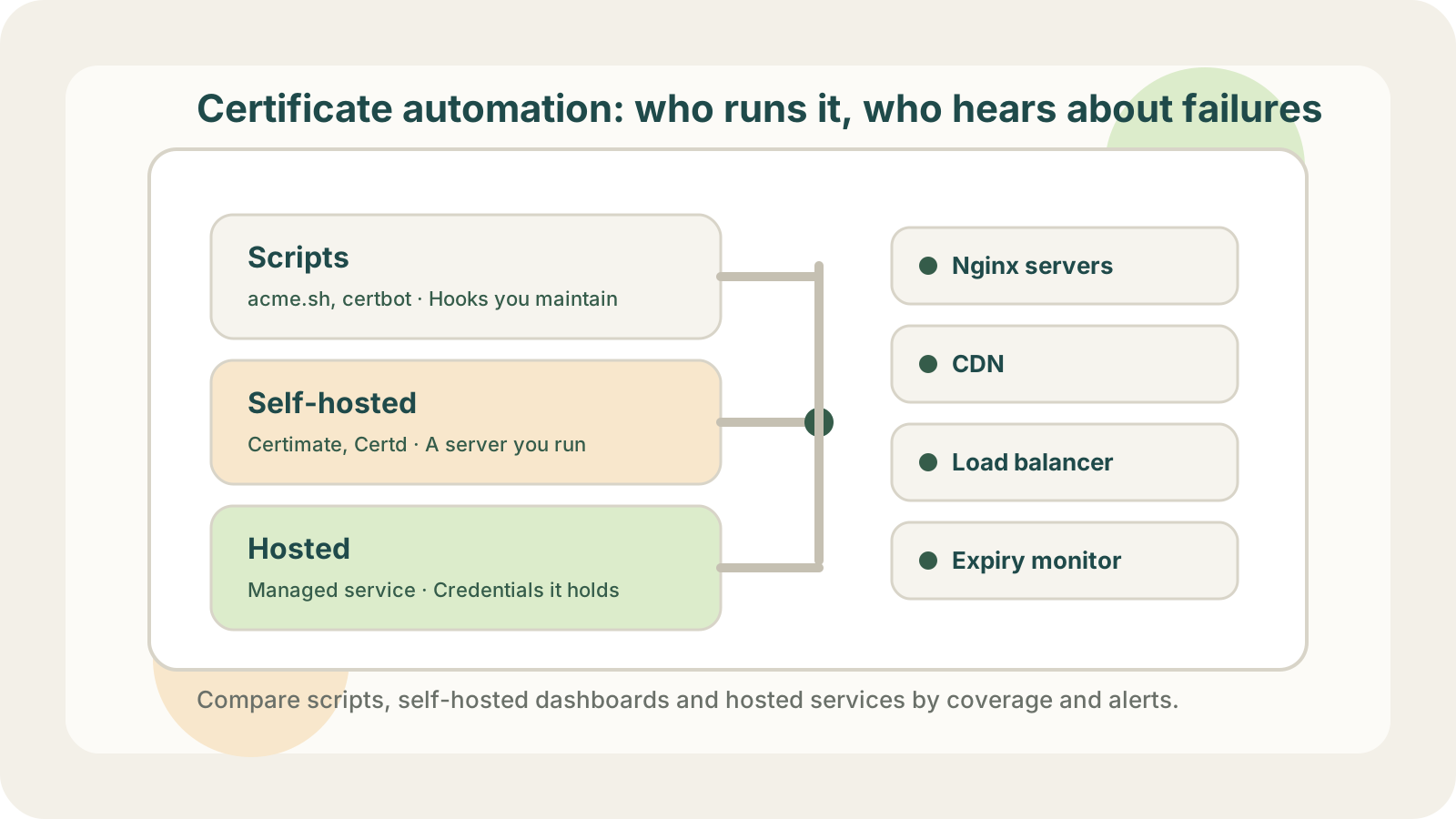
Every certificate automation tool issues certificates over ACME, and that part works much the same everywhere. This article compares acme.sh, Certimate, AWS ACM and LapseZero on three points:
- Automatic renewal. Let's Encrypt certificates expire after 90 days, and since March 2026 commercial certificates are capped at 200 days, so renewing by hand will eventually slip. All the tools here renew automatically; the certificate services built into cloud providers have limits, covered further down.
- How the renewed certificate is deployed, and where it can go. If the certificate only lives on one or two servers, a reload after renewal is enough and any tool can do it. Once the same certificate also has to reach a CDN, object storage or load balancers, you need a ready-made integration for each of them, or you write scripts against the cloud provider's API yourself. Deploying to cloud services also needs access keys, and some companies have a rule on whether those may leave their own servers.
- What happens when a deployment fails. You want an alert that says which location failed, and on servers, a switch back to the old certificate if writing the files or the reload fails. Harder to catch is a location that was never configured: every tool only updates the locations it was given, and a missing one never produces a failure alert.
The short answer: if the certificate only lives on one or two servers, acme.sh is enough. If it has to reach several servers and several cloud services and you do not want to run a dashboard, use LapseZero, a hosted certificate automation service that issues and renews certificates and deploys them to your servers and to AWS, Alibaba Cloud and Tencent Cloud services. If company policy keeps cloud credentials in-house, self-host Certimate. If everything runs on AWS load balancers and CloudFront, ACM is free.
| Tool | Cloud deployment | Failed deployments | Keys live in | Cost |
|---|---|---|---|---|
| acme.sh | A few CDNs, no AWS | Alerts, no rollback | Your server | Free |
| Certimate | AWS, Kubernetes, CDNs, WAFs | Alerts | Your dashboard | Free |
| AWS ACM | AWS services only | Handled by AWS | AWS | Free on AWS |
| LapseZero | AWS, Alibaba, Tencent | Per-location alerts, server rollback | LapseZero | Free, from $3/mo |
Deployment is where it went wrong for us. We have one *.example.com wildcard certificate deployed to two Nginx servers, several domains on Alibaba Cloud's DCDN, and custom domains on OSS, their object storage, all of which used to be updated by hand in each product's console. The sites that got missed were usually not the important ones: our sites have tiers, the important ones are monitored and alert on certificate errors, and some low-tier sites have no monitoring at all. When something broke there, a customer usually told us first that the app would not load and only showed a network error. Only after some digging did we find an expired certificate.
acme.sh plus scripts
acme.sh is a good fit when the certificate only lives on one or two servers. Issuance, renewal and a reload after renewal are mature, and notifications can go to Slack, Telegram and many other channels.
Cloud services are a different story. acme.sh ships deploy hooks for a handful of CDNs and panels, plus a generic ssh hook, but nothing for AWS. Importing into ACM and pointing CloudFront or a listener at the new certificate is your own script.
Even where a hook exists, a wildcard certificate needs every target domain spelled out in a variable. Alibaba Cloud DCDN, for example:
export DEPLOY_ALI_DCDN_DOMAIN="www.example.com static.example.com"
acme.sh --deploy -d example.com --deploy-hook ali_dcdn
The variable is saved and reused after each renewal. When a new domain is added later and nobody comes back to update it, you are back to the forgotten site, just moved from a console into a config file.
We never put a script on our servers, and to be honest we never really tried; it just did not feel dependable. A failed certificate switch takes sites down, so we wanted certainty: could we control when the switch happens, and what happens if it fails halfway? We were not sure. The worst case is a switch failing in the middle of the night, with no alert sent, or an alert nobody reads because we are asleep, and the next morning a customer reports a network error again.
Certimate
Certimate is a self-hosted certificate dashboard, MIT-licensed and free. It runs as a single binary or Docker container, and you set up issuance and deployment in a web UI. It covers far more cloud services than acme.sh hooks, including AWS, Kubernetes, CDNs, WAFs and load balancers. Windows and IIS shops tend to use Certify The Web instead.
The cost of self-hosting is that the dashboard becomes one more service to run. Every cloud access key is stored on that machine, so it needs hardening. If the dashboard goes down, renewals and failure alerts stop together, so monitor it from outside as well.
If company policy does not allow cloud credentials to go to a third party, self-host, and use Certimate.
AWS Certificate Manager
Cloud providers manage certificates for their own products: AWS Certificate Manager renews public certificates for load balancers, CloudFront and API Gateway at no cost, but those certificates cannot be copied onto your Nginx servers, and exportable ones are charged at every renewal.
LapseZero
LapseZero is a hosted certificate automation service: issuance, renewal, deployment and alerts run on LapseZero's side, so there is no server or dashboard of yours to maintain. It issues certificates from Let's Encrypt (wildcards included), renews them about 30 days before expiry, and deploys them to every configured location:
- Cloud services: AWS CloudFront, ALB, NLB and API Gateway, plus Alibaba Cloud and Tencent Cloud CDN, load balancers and more.
- Servers: over SSH, or, if you would rather not expose SSH, through an open-source deployment agent installed on the server.
When you add a cloud location, LapseZero uses your access key to list the CDN distributions, load balancer listeners and similar resources in the account, and you tick the ones to deploy to. Sites nobody checks show up in that list too, so it does not all rely on memory. Domains added later are not picked up automatically; you come back and tick them as well.
Each location has its own result, and failures are sent by email, Slack, Telegram or webhook. On servers, the old files are backed up first, and if writing the files or the reload fails, the server is switched back to the old certificate and the alert says how the rollback went. Each location can also have a daily deployment window, for example office hours only, so that if a switch fails, someone is around to deal with it.
The main hesitation with any hosted service is handing over cloud access keys, and with a service you have never used, we would hesitate too. Use an IAM user limited to the services you deploy to, and start with one or two low-stakes sites.
The free plan covers 3 domains and 5 deployment targets; the two Nginx servers plus one CDN domain and one storage domain above make 4. Paid plans start at $3 a month for 10 domains and 20 deployment targets; a team managing 30 domains would use Pro, with 80 deployment targets, at $8 a month or $80 a year.
Deployment checks and expiry monitoring
After replacing a certificate, you want to know that the site is serving the new one. LapseZero can check this automatically after deployment: set an HTTPS check address for a deployment location to see whether it serves the new certificate. When you deploy to Nginx through the agent, it can also check on the server itself that Nginx has loaded the new certificate. If the site sits behind a CDN or load balancer, the public check sees the certificate at that entry point; the agent can check the Nginx origin locally.
Keep expiry monitoring running too. Add every domain that uses the certificate, including sites without automatic deployment and the ones nobody looks at, so you get a reminder before their certificates expire. A monitor only connects to the public HTTPS address and needs no credentials. LapseZero's certificate monitoring includes 5 sites on the free plan, or run your domains through the SSL certificate expiry checker once to see whether anything has already been missed.